CodeLevels
  • Projects
    • All projects
    • Becoming a web developer!
    • Building mini web apps
    • DIY services
    • Backend Development for serious guys!
    • Mobile and Desktop apps
    • Web Security
    • Developer Tools
    • ML and data science
    • Growing into AI
    • Web Games
    • Modern Web Interfaces
    • WordPress
    • QA: application testing
    • Gamedev
    • Real-time apps
  • Roadmaps
    • All roadmaps
    • JavaScript
    • React
    • Python
    • Django for web development
    • Backend & Deployment
    • Client-Server Architecture
    • Linux for server development
    • Kali Linux for security artisans
    • Advanced Cybersecurity
    • HTML & CSS
    • NextJS
    • Roblox Game Development
    • Backend Concepts
  • Job tracks
    • All job tracks
    • QA Engineer (+Web Security Specialist)
  • Courses
  • Games
  • Desktop App
  • Login

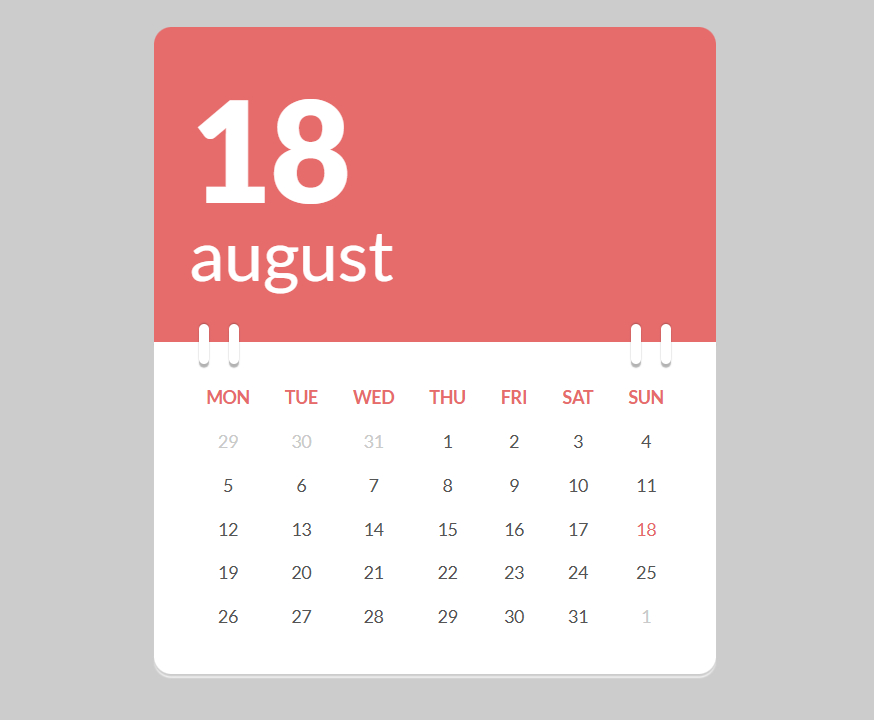
Calendar in JS

Project #1 of 19 in "Building mini web apps" progression
HTML/CSS JavaScript
Calendar in JS thumbnail

Updated: Feb 14, 2026

See the Pen Calendar in JS by marcobiedermann (@marcobiedermann) on CodePen.

In this project

See project on Codepen


Learning plan

  1. Show current day and month in the red block

  2. Show the row with day names using JS (remove them from HTML)

  3. Dispay dates of the month using JS (remove numbers from HTML)

  4. Learning how to click: adding the show / clear current date buttons

    1. First, show two extra buttons - current date and reset date
    2. Add clicks to the buttons
    3. Learn how to use bootstrap icons
  5. Learn how datetime work in JS

  1. #1.Show current day and month in the red block #1
  2. #2.Show the row with day names using JS (remove them from HTML) #2
  3. #3.Dispay dates of the month using JS (remove numbers from HTML) #3
  4. #4.Learning how to click: adding the show / clear current date buttons #4
  5. #5.Learn how datetime work in JS #5
Calendar in JS

Search projects

Type a project name

    ↑↓ to move Enter to open Esc to close Ctrl-I to search